The Bird Feeder With a Camera That Puts a Name to Every Visitor
A solar powered feeder that snaps portraits of every bird and tells you who just landed.
A clamp on light bar that washes your whole desk in even light for less than a dinner out.
It is 9 pm at the kitchen table that doubles as your office. The ceiling light is behind you, so your own shadow falls across the keyboard, and the little bulb lamp you rescued from a closet throws a hot ring of glare right onto your screen.
Lighting people have known the fix for years: put a wide bar of light up high, angle it down, and let it wash the whole workspace evenly. BenQ built its reputation on exactly that idea, and its ultrawide reading lamp has been tracked at about $250 this year. Which is what makes this next part fun.
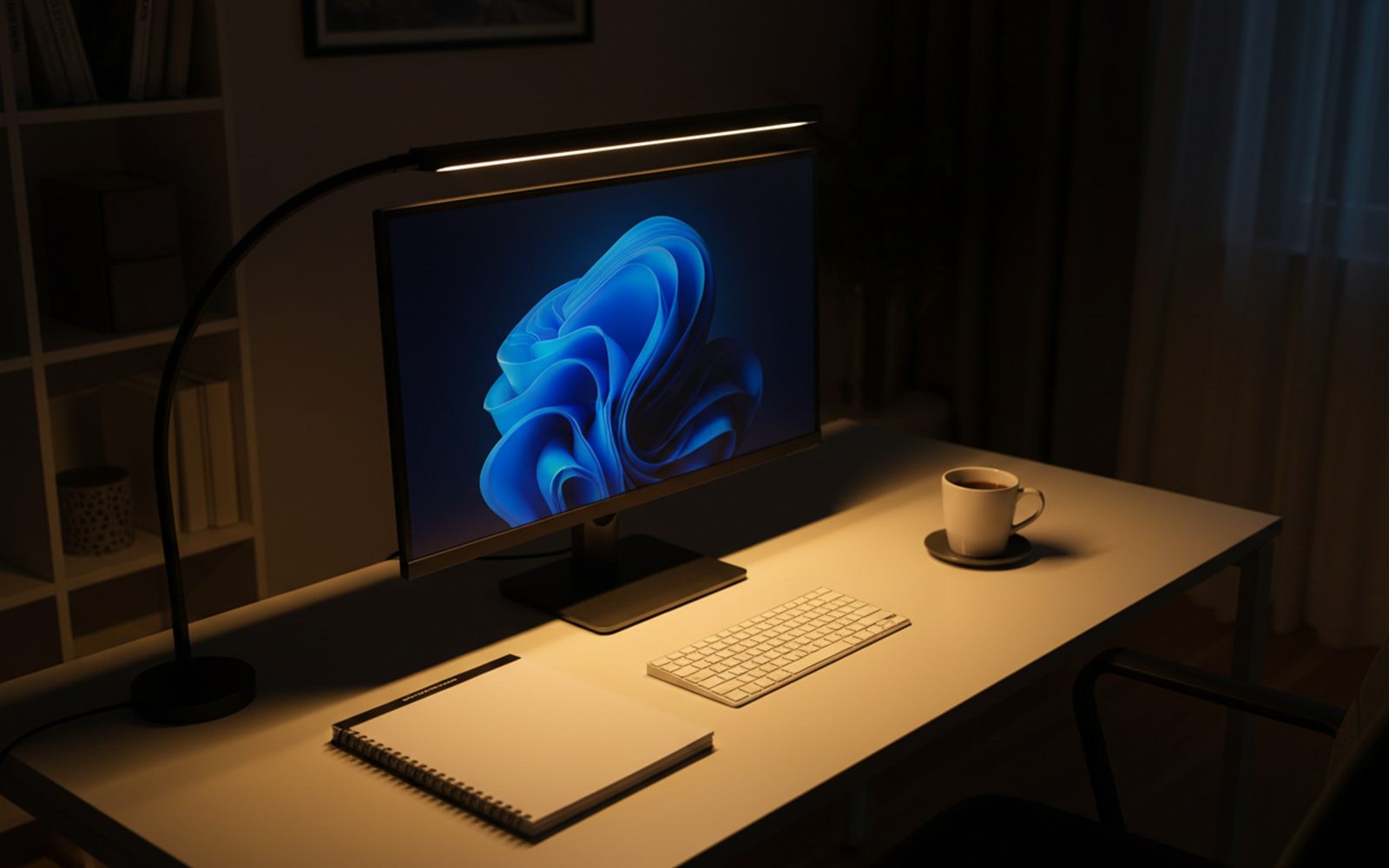
The Airlonv LED Desk Lamp with Clamp is a 17 inch bar of 100 LEDs riding on a long flexible gooseneck that grips the back edge of your desk. It runs around $20 on Amazon when its frequent deal is live, and about $26 at full price. Either way it lands under the $30 in our headline, up against a design that premium brands sell for ten times as much.
The light lands on your work, not in your eyes. Because the bar is wide and mounted high, it spreads one even sheet of light across your keyboard, papers, and coffee instead of a single hot circle. It clears monitors up to 30 inches, and buyers repeatedly report no glare on their screens.
Your desk gets its space back. The clamp grips desktops up to about 2.3 inches thick, so the footprint on your actual work surface is zero. No base, no cord puddle, no lamp playing goalie with your mouse.
It matches the hour. Brightness dims steplessly from 100 percent down to 1 percent, and the color slides from a warm 2700K glow to crisp 6500K daylight. Focused spreadsheet light at 2 pm, soft reading light at 11 pm, same twenty dollar lamp.
The mechanism deserves one plain sentence, because it is the whole product. A bulb is a single point, so it casts hard shadows and finds your screen like a mirror, while a 17 inch bar is a hundred tiny points, so light arrives from everywhere at once and there is no hot spot left to glare. Wide light has nowhere to hide a shadow.
Clamp it to the back edge of the desk. Bend the neck up and over your monitor. Tap the controls and slide the warmth down until the room stops feeling like an office.
Before: one sad bulb, a ring of glare on the screen, and your hand dragging a shadow across everything you write.
After: the entire desk sits under one smooth wash of light, the screen shows zero reflections, and your eyes stop doing extra work they were never supposed to do.
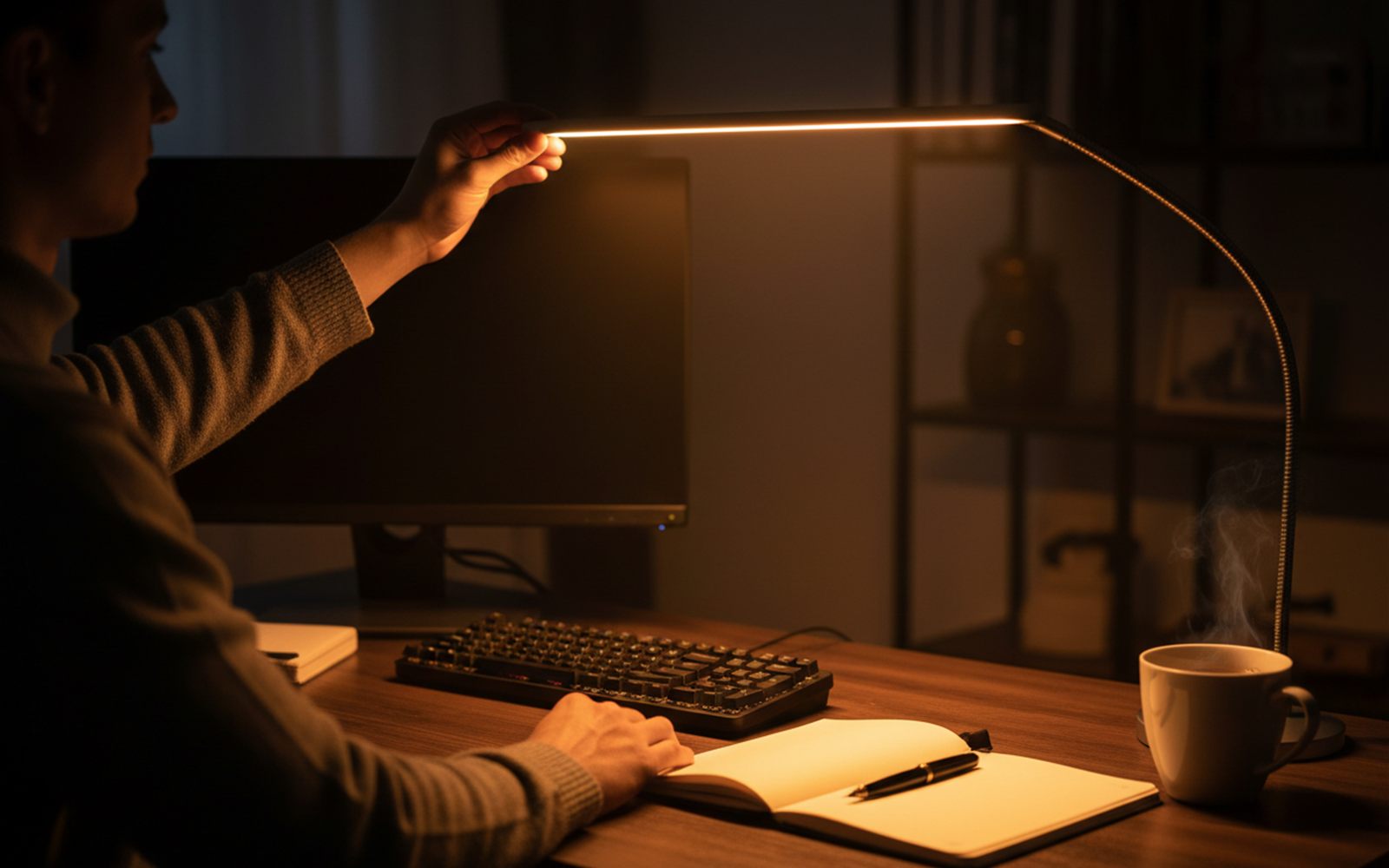
Setup really is the sixty seconds owners describe: screw the clamp to the back edge, seat the bar, plug in the USB cable. The tricks that surface in reviews come after that.
Skip the wall outlet. The lamp runs on ordinary USB power, and buyers point out that a reasonably modern computer can feed it directly, so the included adapter stays in the drawer and the lamp lives and dies with your desk setup.
Use the hidden cord channel. There is a built in wire management groove, and thirty seconds of tucking makes the cable disappear. That small move is half the reason this thing photographs like a far more expensive setup.
Aim the bar slightly toward yourself. Straight down is good, a few degrees forward is better, because papers and keyboard catch full light while the screen sits in shade. That angle is what reviewers mean when they say the glare simply never appears.
Give video calls the daylight setting. Slide to the cool 6500K end, bend the bar a touch toward your face, and it doubles as soft on camera lighting. More than one buyer reports buying it for exactly this second job.
Build a wind down cue. The warm 2700K end at low brightness turns the same desk into a different room. Owners describe using the warm setting as an evening signal: lights go amber, spreadsheet urgency goes away.
Amazon’s aggregated review insights back this up with unusual force: more than 900 buyers specifically praise the brightness range and more than 700 praise the one minute assembly, against a tiny fraction reporting trouble with either.
If a $20 bar solves the problem, why does the famous version of the same idea cost ten times more? Here is the honest field.
| Light | Price | Rating | The difference |
|---|---|---|---|
| Airlonv clamp light bar | About $20 | 4.5 stars, 7,800 plus ratings | Clamps to the desk edge, widest reach for the money |
| Quntis monitor light bar | About $40 | 4.6 stars, 13,700 plus ratings | Sits on the monitor, adds auto dimming |
| BenQ ScreenBar | About $109 | 4.7 stars, 3,100 plus ratings | The original monitor bar, premium build, ambient light sensor |
| BenQ ScreenBar Halo 2 | About $199 | 4.7 stars, 1,100 plus ratings | Wireless desktop dial, rear backlight, motion sensing |
The BenQ machines are genuinely lovely, and the praise they get is not marketing fiction. Reviewers at Digital Camera World measured the newer ScreenBar Pro at about 1,000 lux in the center of the desk, with auto dimming that reads the room and a build that feels like lab equipment. If your desk is your whole career and you want light that thinks for itself, BenQ remains the endgame.
But the math is hard to argue with. The Halo 2 costs about as much as ten Airlonvs, and the core effect, one wide even wash with zero screen glare, is the same physics at every price. Pick the Quntis if you have no clampable edge and want a set and forget sensor. Pick the BenQ if budget is not a variable. Pick this one if you want most of the experience for the price of a pizza.

Desk lighting spent a century as a single bulb on an arm, and every version had the same two flaws: a hard shadow where your hand worked, and a reflection wherever a screen appeared. The swing arm architect lamp fixed reach, not glare. Ring lights, the other modern reflex, were built to flatter faces on camera, not to light a keyboard.
The monitor light bar, an idea BenQ turned into a category, changed the geometry instead of the bulb: go wide, go high, throw light down and forward, and keep every ray off the screen. The early premium bars proved the shape worked, and what kept them expensive was mostly LED cost and momentum. Once LED prices collapsed, makers like Airlonv rebuilt the same geometry with 100 flicker free diodes, a clamp, and a $20 price. The shape finally matched the job, then the price finally matched the shape.
It holds 4.5 stars across more than 7,800 ratings, carries an Amazon’s Choice badge, and more than 7,000 people bought one in the past month. Three themes repeat through the reviews. First, the light itself: buyers praise the range of brightness and warmth and the way it kills screen glare. Second, the setup: it assembles in about a minute and the clamp frees the whole desk. Third, value, over and over. One reviewer put it simply, calling it “bright and out of the way”.
Three reviews that tell the story better than we can.
“Great light with varying brightness and varying light warmth. The flexible rod makes it easy to adjust to many different angles.”
(verified Amazon review)
“This is perfect for my needs. 3 temp settings and all have dimmer abilities too! It clamps to the back of the desk and takes no valuable table space.”
(verified Amazon review)
“Great lamp. Bathe your desk in a shade or brightness level of light needed. Clamp is sturdy and adjustable neck is great. Highly recommend.”
(verified Amazon review)
The honest gripe: a small group of buyers doing fine detail work, think miniature painting or sewing at night, wished the maximum brightness went further. For ordinary reading, writing, and screen work, the complaint basically never appears.
Anyone working at a desk with a reachable back edge: home offices, student desks, workbenches, craft tables. Skip it if you want the auto dimming sensors, metal build, and long warranties of the $250 designer lamps, or if your desk sits flush against a wall with no edge to clamp.
And once the work light is sorted, the fun kind is next: the $24 light strip that transforms movie night applies the same big payoff, small price logic to the living room.
Great light is the cheapest productivity upgrade there is, and this one costs about as much as a pizza. It is around $20 on Amazon right now, and the button above always shows the current price.
A solar powered feeder that snaps portraits of every bird and tells you who just landed.
A cordless spinning brush on a long handle strips away soap scum while your knees stay dry.
A wire free probe tells your phone exactly when the chicken is done, no guessing, no cutting it open.