
Why Everyone Is Suddenly Wearing AI Smart Glasses
Meta's new $299 frames and its display glasses turned a nerdy experiment into the gadget of the year.
Paper like color displays landed in readers, notebooks and even phones, and they run for weeks on one charge.

Take a normal tablet outside on a July afternoon and you will spend the next ten minutes tilting it, cupping it, and eventually giving up. Take an E Ink screen out there and it gets easier to read, because sunlight is what lights the page.
For years that trick only came in gray. This year it comes in color, and it has spread well beyond books.
Amazon put color into two of its flagship devices. The Kindle Colorsoft has a 7 inch color screen, up to eight weeks of battery, an IPX8 waterproof rating, and a $249 list price that has repeatedly dropped near $199 in sales. The Kindle Scribe Colorsoft, an 11 inch color notebook you can write on, arrived in December at $629.99.
reMarkable took a different route with the Paper Pro, an 11.8 inch writing tablet using a color technology that mixes actual cyan, magenta, yellow and white ink particles inside each capsule instead of laying a filter over black ink. It runs about two weeks per charge.
Boox filled in everything else, from the 10.3 inch Note Air5 C running Android to the 13.3 inch Tab X C and the pocket sized Palma 2 Pro. Kobo’s Libra Colour sits in the same family of panels.
Then the phones showed up. Hisense released the A10 with a detachable magnetic E Ink screen, Bigme sells the HiBreak Pro at $439 with 5G and the Play Store, and the Minimal Phone pairs a 4.3 inch E Ink display with a physical keyboard for $399.
Set your expectations with one word and you will be happy: newsprint.
Text stays crisp, because the black and white layer on these devices still runs at 300 pixels per inch. Color arrives softer and grainier, at about 150 pixels per inch, with the faintly washed look of a newspaper comics page or an old paperback cover.
Reviewers who have lived with the Colorsoft describe exactly that split. Text is excellent. Full color comics and magazines look surprisingly good and genuinely pleasant, with a warm analog feel. Scanned material is where it gets rough, since scans can show color banding and fringing that a clean digital file does not.
What early owners keep writing about the Colorsoft says the same thing in plainer language.
“Love the color. I could never go back to black & white. Kindle works really great. Love it!”
(verified Amazon review)
“It is very easy on the eyes. The size is perfect for my arthritic hands. The battery life does last longer than my Apple tablet.”
(verified Amazon review)
“This is a great Kindle. I like to read before sleep and this Kindle is perfect. The light is soft and great for reading in a darkened room.”
(verified Amazon review)
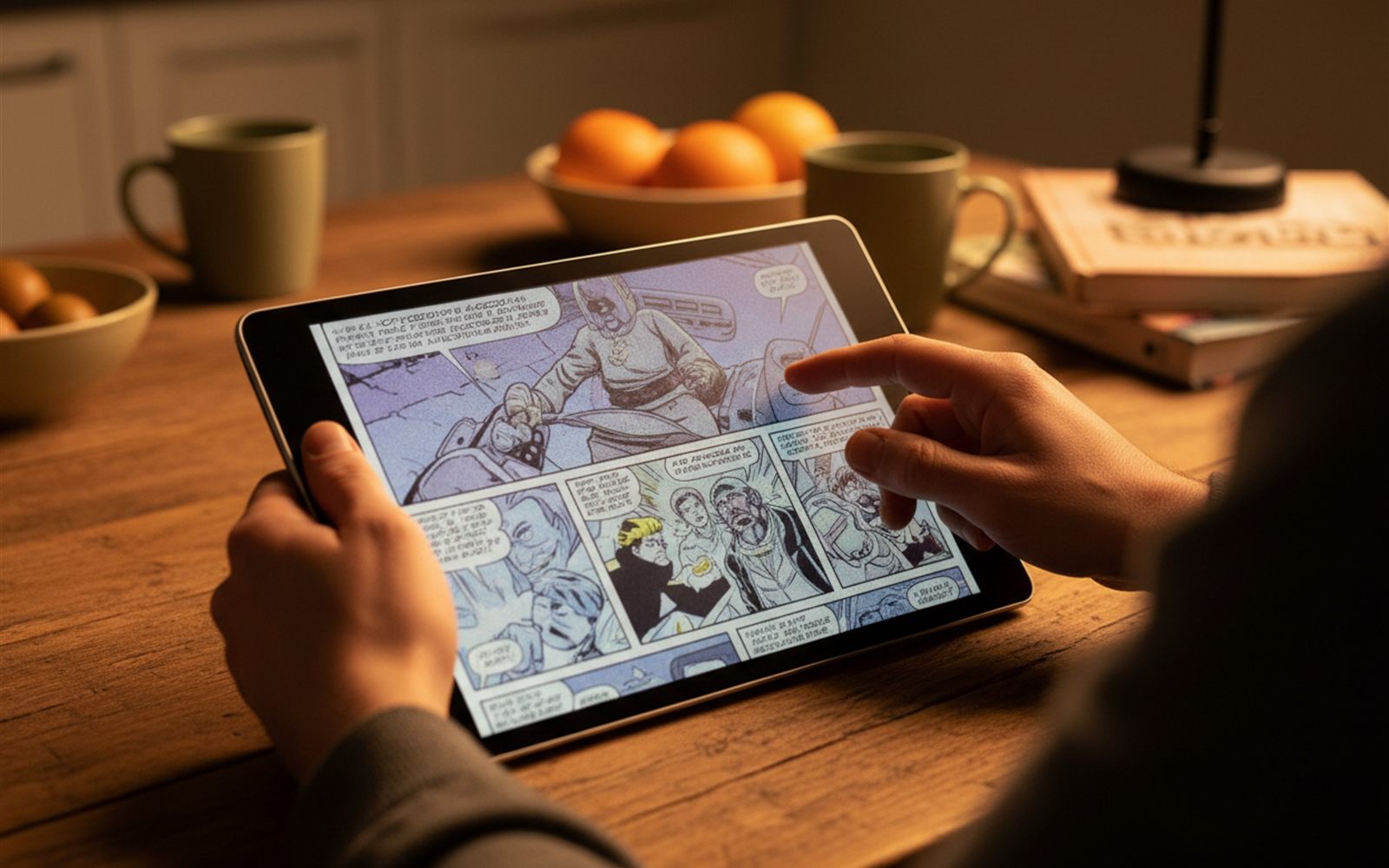
The first hour is a small adjustment. You tap something and the page thinks for a beat. You swipe and nothing smoothly slides. Within a day most people stop noticing, because reading is not an animated activity, and by the end of the first week the thing people report missing on a normal tablet is not sharpness. It is the absence of a light shining in their face at 11 pm.
The other adjustment is charging, or rather not charging. Eight weeks of battery means the device leaves the charger and effectively stops being a gadget you maintain.
Instead of shining light at your face, an E Ink screen moves tiny colored particles into position and then stops using power entirely. The image just sits there, lit by whatever light is already in the room.
It is closer to an Etch A Sketch than a television. Power is spent changing the page, not holding it.
Color works one of two ways, and this is the mechanism that explains every review you will read. Most devices, including the Kindles, lay a thin color filter over a black and white layer, which is cheap and keeps text razor sharp but cuts color resolution in half and softens brightness. reMarkable’s approach puts actual colored ink particles in the capsules instead, which looks richer and costs more.
Filter over ink, or ink itself. That single choice is the whole product line.
Your eyes get a break. There is no backlight aimed at your pupils and no flicker, and the front lights on these devices bounce off the page rather than into you, which is why people who cannot read on a phone at night read on these for hours.
The battery stops being a thing you think about. Weeks, not hours, because a page you are not turning costs nothing.
And they are boring on purpose. A device that is bad at video and bad at scrolling turns out to be very good at reading a book, marking up a report, or writing a page of notes that syncs before you stand up.
| Device | Price | Who it suits |
|---|---|---|
| Kindle Colorsoft | $249, often near $199 on sale | Readers who want color covers and comics without fuss |
| Kindle Scribe Colorsoft | $629.99 | People who read and write on the same 11 inch page |
| Boox lineup, Palma 2 Pro to Tab X C | Roughly $300 to $900 by size | Android apps, notes and side loaded files |
| reMarkable Paper Pro | Premium tier | Writers who want the richest color and the best pen feel |
| Minimal Phone | $399 | People trying to make their phone boring on purpose |
| Bigme HiBreak Pro | $439 | An E Ink phone with 5G and the Play Store |
The honest guidance: if you have never used one, buy a color reader, not an E Ink phone. A reader is the cheapest way to find out whether your eyes prefer paper, and it asks nothing of you if the answer is no.
Color on these screens is muted. Most models put a color filter over black and white ink, which softens the picture and cuts brightness, so think colored pencils rather than a magazine cover.
Refresh is slow, and it always will be. Page turns are fine, animation is not.
The next generation panel, Kaleido 4, still had not landed in shipping consumer devices as of this spring, so anyone waiting for a dramatic jump in color quality is waiting at least another cycle. And E Ink phones ask for real compromises: slower cameras, dimmer color, and apps that were never designed for a screen that redraws this way.
Two things are worth watching, and neither is a rumor.
The first is Kaleido 4. E Ink has been developing a successor aimed at better saturation, higher color resolution and faster refresh. It has not shipped in a consumer device yet, which means the color quality you can buy today is the color quality you get for at least another product cycle.
The second is that this technology is quietly leaving the bookshelf. E Ink’s Gallery 3 panels, built for richer color, refresh a black and white page in about 350 milliseconds and a full best quality color page in around 1.5 seconds. That is far too slow for a tablet and completely fine for a bus stop sign, a shelf label, or a conference room door, which is exactly where the growth in this industry is now.
You may end up looking at more E Ink in public than you ever buy for yourself. The same is true of the foldable screens quietly changing what a single gadget can be: the interesting part is not the spec, it is where the screen ends up.
The screen everyone likes best turned out to be the one that stops trying to shine.
Meta's new $299 frames and its display glasses turned a nerdy experiment into the gadget of the year.
After a decade of promises, solid state cells are shipping in a real vehicle, with earbuds and cars next in line.
EarFun's Clip 2 puts live translation in 100 languages on your ears without a triple digit price.